Hive Light on WordPress.org: free login protection for WordPress
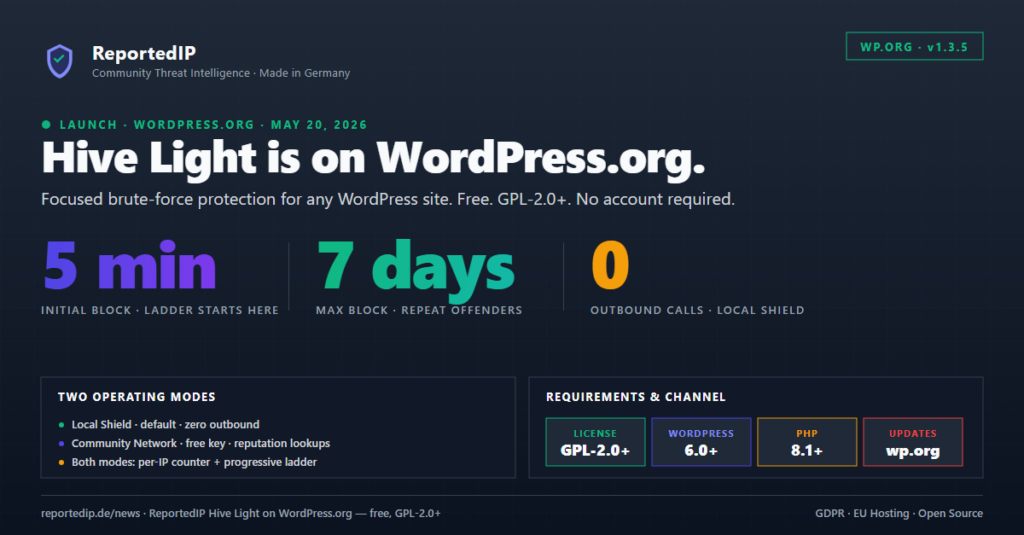
ReportedIP Hive Light is now in the official WordPress.org plugin directory. One install, one toggle, and standard wp-login.php is sitting behind a per-IP counter, a progressive block ladder, and — if you want it — a community reputation lookup.
It is the small sibling of Hive Full: stripped to a single job, free under GPL-2.0+, no account required, and shipped through the same channel as core WordPress updates.
What Hive Light actually does
The plugin hooks into two well-known WordPress actions:
wp_login_failedincrements an atomic per-IP counter (no race conditions under a parallel password-spray).wp_authenticate_usershort-circuits known-bad IPs before WordPress core authentication runs — the attacker never reaches the password check.
When the counter crosses your configured threshold, the IP is blocked along a fixed ladder: 5 minutes, then 15, then 30, then 24 hours, then 48, then a full 7 days. The blocked response is a clean HTTP 403 with explicit no-cache headers — WP Rocket, W3 Total Cache, WP Super Cache and LiteSpeed all serve the block page correctly instead of a cached login form.
That is the whole product. There is no dashboard you have to learn, no policy engine, no AI scoring, and no upsell screen.
Light or Full — which one do you actually need?
Both editions share the brute-force protection core. The decision comes down to attack surface and operational requirements. A short decision matrix:
| If your site needs … | Use this edition |
|---|---|
| Only login protection, nothing else. | Hive Light |
| WordPress.org Updates-tab and zero configuration. | Hive Light |
| A site that legally must not call any external endpoint by default. | Hive Light (Local Shield is the default) |
| Two-factor authentication (TOTP, email, SMS, WebAuthn). | Hive Full |
| Coverage for XML-RPC, REST bursts, comment spam, 404 scanners or user enumeration. | Hive Full (16 sensors) |
| Multisite network activation or WooCommerce frontend 2FA. | Hive Full |
| Managed mail or SMS relay with prepaid bundles. | Hive Full (PRO tier and up) |
| Hardening Mode and coordinated-attack detection across multiple IPs. | Hive Full |
If you’re not sure where you land, start with Light. It runs the moment you activate it, and you can migrate to Full later without losing your block table — both editions share the same wp_reportedip_hive_* database schema. The full feature breakdown lives on the Hive Light documentation page.
How it stays private by default
Out of the box Hive Light runs in Local Shield mode. Every counter, every block decision, every metadata write happens on your own server. There are zero outbound HTTP requests — the plugin literally does not know about reportedip.de unless you tell it to.
If you opt into Community Network mode with a free Community Access Key, the plugin starts to do two things in addition: it checks the source IP against the community reputation database during login attempts, and it queues blocked IPs to be reported back to the network in a 15-minute cron sweep. The payload is strictly the IP address, a SHA-256 hash of the submitted username salted with wp_salt(), an integer event category, and the timestamp. Plain-text usernames, passwords, domain names, headers and traffic data never leave your server.
Legal basis for the IP processing is GDPR Art. 6(1)(f) — legitimate interest in network and information security. The Connection, Protection and Privacy tabs in the plugin settings disclose every external call and let you turn each one off independently.
Install it
- In WP-Admin go to Plugins → Add New and search for ReportedIP Hive Light.
- Click Install Now, then Activate.
- Open ReportedIP Hive Light → Settings and look over the Connection / Protection / Privacy tabs. Local Shield is already protecting the login form at this point — you do not need to do anything else for the basic case.
Updates land through the standard WordPress.org channel. The full distribution lives at wordpress.org/plugins/reportedip-hive.
For developers
Hive Light is filter-friendly. The four hooks you most likely want are:
reportedip_hive_is_whitelisted— short-circuit any IP you trust unconditionally (CI runners, monitoring probes, your office range).reportedip_hive_get_client_ip— override the IP resolver if you sit behind a reverse proxy beyond the supported headers.reportedip_hive_event_category_map— remap event categories before reporting to the community endpoint.reportedip_hive_api_endpoint— point at a self-hosted reportedip-service instance instead of reportedip.de.
Source is on GitHub at github.com/reportedip/reportedip-hive-light. Issues and pull requests are welcome.
Already running Hive Full?
Skip Light — Full is a strict superset and uses the same database tables. If you came here from the Hive 2.0.15 release notes, that’s the one you want. Light exists for the WordPress.org audience that needs login protection and nothing else: smaller plugin footprint, smaller cognitive footprint.