ReportedIP Hive 2.1.4: The Firewall Release, From 12 to 16 Sensors
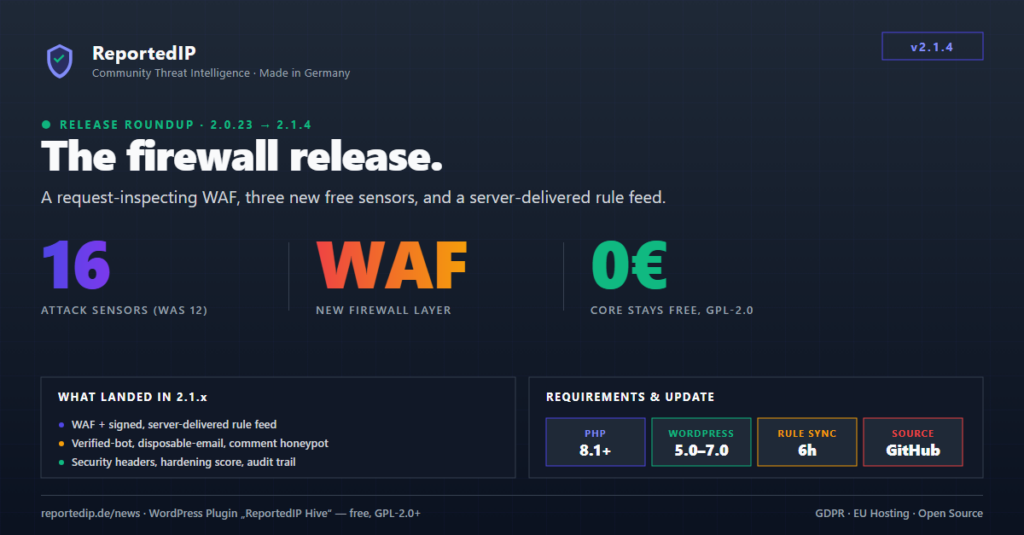
ReportedIP Hive 2.1.4 turns the plugin into a firewall. Since the last release we wrote about — 2.0.22 — Hive gained a request-inspecting Web Application Firewall, three more free sensors, and a server-delivered rule feed, growing detection from 12 sensors to 16.
The whole protection core stays free and GPL-2.0. Update from Plugins → Check for updates, or download the latest ZIP from the GitHub releases page.
What changed since Hive 2.0.22
Nine releases shipped between 2.0.22 and 2.1.4. The 2.1.x line is the headline — a complete firewall layer — but several 2.0.2x releases hardened detection and fixed real lockout bugs first.
| Version | Headline change |
|---|---|
| 2.0.23 | Setup wizard now persists every step server-side; 404 / REST false positives no longer auto-block real visitors; a logged-in admin can no longer be locked out by an auto-block. |
| 2.0.25 | SMS 2FA moves to the managed relay only; GDPR exporter/eraser and a privacy-text generator land; schema v8. |
| 2.0.27 | WordPress Multisite Network-Admin compatibility; login-error masking keyed on error codes, so 2FA and reset reasons surface in every language. |
| 2.0.28 | Fewer false positives (wider bot allowlist, static-asset 404s ignored); honest free-vs-paid documentation. |
| 2.0.29 | Hardening Mode now catches distributed botnets that rotate IPs across a rolling window, not just same-minute bursts. |
| 2.1.0 | MainWP integration and block-page reference codes (the X-RIP-Ref header). |
| 2.1.2 | The firewall release: WAF, verified-bot detection, disposable-email blocking, comment honeypot, security headers, hardening score and the Business audit trail; schema v9. |
| 2.1.3 | Verified-bot detection fixed for crawlers connecting over IPv6. |
| 2.1.4 | Firewall admin overhaul, a single Server Setup tab, and specific WAF reason codes for SSRF, Log4Shell, XXE and more. |
The Web Application Firewall is the headline of 2.1.2
Hive 2.1.2 added a request-inspecting WAF that runs on init and matches the URI, query string, request body and user-agent against a signature ruleset: SQL injection, XSS, path traversal, command injection, LFI wrappers and scanner tooling, with SSRF, Log4Shell/JNDI, PHP object injection, NoSQL, XXE, web-shell uploads, CRLF and template injection added by 2.1.4.
The engine and the OWASP-Top-10 Paranoia-Level-1 baseline are free on every plan. Professional unlocks the deeper, frequently-updated Level 2/3 rulesets through Priority Sync. The WAF is ReDoS-hardened and fail-open, so a malformed rule never takes the site down.
Rules ship from a signed, server-delivered feed
The signatures are not hard-coded in the plugin. They come from the reportedip.de Rule API — versioned, Ed25519-signed and tier-staggered across four rulesets (waf, bot_signatures, disposable_domains, scan_paths), synced every six hours. Hive verifies every ruleset against a bundled public key before applying it and always falls back to a bundled baseline, so a tampered or unreachable feed cannot poison your rules. New attack signatures reach every install within hours, with no plugin release required.
An optional pre-WordPress drop-in can run the WAF before WordPress even loads, with Apache and PHP-FPM auto-config and an nginx snippet. It is off by default, and removal always strips the directive before deleting the guard so a stale prepend can never fatal the site.
Three more free sensors: verified-bot, disposable-email, comment honeypot
The same release added three detection sensors, free on every plan, which is what took the count from 12 to 16:
- Verified bot detection confirms that a request claiming to be Googlebot, Bingbot or another crawler genuinely originates from it — a DNS-free match against the crawler’s official IP ranges first, then a forward-confirmed reverse-DNS fallback. Spoofers are flagged or blocked; genuine crawlers are never blocked. Version 2.1.3 fixed the IPv6 path so real crawlers on IPv6 are no longer mistaken for fakes.
- Disposable-email blocking inspects the address at registration on WordPress and WooCommerce, with off / monitor / block modes. Privacy relays such as Apple Hide My Email and Firefox Relay are a distinct category and pass through by default.
- Comment honeypot adds an invisible, screen-reader-excluded decoy field to the comment form; spam bots that fill every field are rejected with no CAPTCHA friction for real visitors.
For the full list and default thresholds, see the guide on the 16 attack sensors that catch WordPress intrusions.
Security headers, a hardening score, and a Business audit trail
2.1.2 also shipped three things beyond detection. Hive now sends hardening response headers on every front-end request — the basic trio (X-Content-Type-Options, X-Frame-Options, Referrer-Policy) free, and HSTS, Permissions-Policy, a report-only-first Content-Security-Policy and the cross-origin isolation trio on Professional. Headers already sent by your server or another plugin are detected and left untouched.
The dashboard gained two gauges (0–100 plus an A+–F grade, Mozilla-Observatory style) that rate detection coverage and hardening posture, with per-item deep links. Business plans add an append-only audit event trail — logins, failed logins, password resets, profile updates, role changes including the acting user, and new-IP detection — with filters, CSV/JSON export and WordPress GDPR integration. It lives in a dedicated audit_log table added by schema v9.
2.1.0 and 2.1.4: management and admin UX
Version 2.1.0 made Hive remote-manageable from a MainWP dashboard with no extra child plugin, and gave every blocked response a correlatable reference code such as WAF_SQLI-3F9A2B71, shown on the page and emitted as the X-RIP-Ref header. The token is a one-way hash of IP, reason and hour, so a wrongly blocked visitor can quote one short string an admin matches in the logs without exposing any personal data.
Version 2.1.4 reworked the firewall admin area: the Overview tab is now a mini-dashboard with per-module status and a recent firewall event stream, a single Server Setup tab gathers every web-server snippet in one place, and Extended Protection setup is now verifiable — the status reports whether the guard actually executed for the current request.
How to update
The built-in update checker polls GitHub every 12 hours; new versions appear in your Plugins screen like any other update. To pull 2.1.4 immediately, open Plugins → Check for updates. The firewall step in the setup wizard walks new installs through the WAF, verified-bot action, disposable-email mode and the comment honeypot with safe defaults.